Screenshot
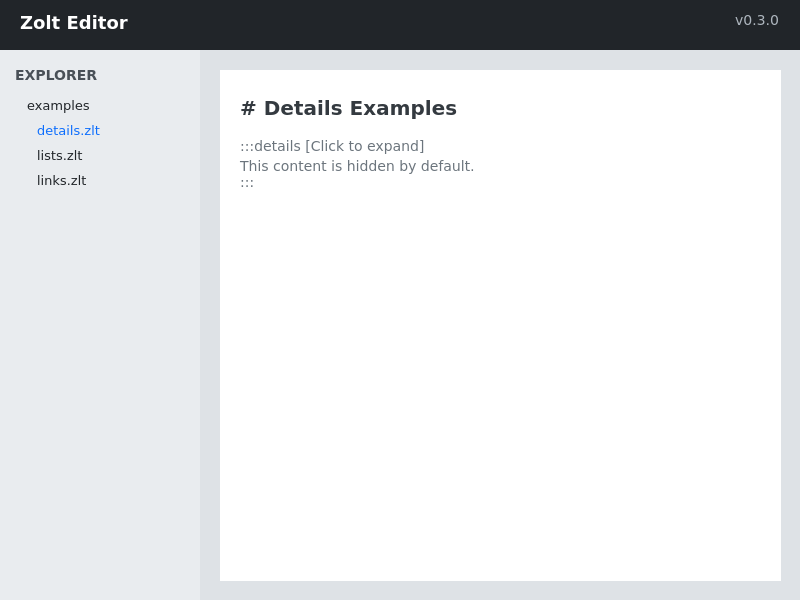
This is the main interface of the application.
Simple collapsible section:
This content is hidden by default. Click the header to reveal it.
Details that start expanded:
This content is visible when the page loads.
Details within details:
Content in the main section.
Content in the nested section.
More main content.
Several collapsible sections:
Edit the config file:
Common issues and solutions:
Details with custom styling:
This section contains critical information. Please read carefully.
Use keyboard shortcuts to save time! Press Ctrl+S to save your work.
Zolt is a modern markup language that combines the simplicity of Markdown with powerful features for technical documentation.
Yes, Zolt is open source and free to use for any purpose.
def hello():
print("Hello, World!")function hello() {
console.log("Hello, World!");
}Zolt supports variables, loops, calculations, and much more. Explore the documentation to learn about all features.
Complete API documentation is available in the developer section.
Welcome to Zolt! This guide will help you get started with the basics.
First, create a file with the .zlt extension. Then, start writing your content using Zolt syntax.
Input: .zlt, .md Output: HTML, PDF, EPUB
This content has bold text, italics, and highlighted portions.
You can also include:
| Feature | Status |
|---|---|
| Lists | ✅ Supported |
| Tables | ✅ Supported |
| Code | ✅ Supported |
This is the main interface of the application.
Download and run the installer.
System will guide you through:
Configure your settings:
Start writing!
Use any text editor to create a .zlt file and start experimenting with the syntax.
Possible causes:
Solutions:
Possible causes:
Solutions:
Technical documentation including API references, code examples, and architecture diagrams.
Content creation tools, style guides, and publishing workflows.
Design system documentation, component libraries, and brand guidelines.
Before starting this course, you should have:
By the end of this course, you will:
Final exam covering:
New Features:
Bug Fixes:
Breaking Changes:
New Features:
Bug Fixes:
By using this software, you agree to the following terms...
[Full legal text would go here]
We collect and use data as follows...
[Full privacy policy would go here]
This software is licensed under the MIT License...
[Full license text would go here]
Use collapsible sections for:
Don't use for:
Collapsible sections should:
Get up and running in 5 minutes with the quick start guide.
Comprehensive documentation covering all features and use cases.
Complete API reference for developers building on top of Zolt.